How to Make AI Remember You - and Stop Re-Explaining Yourself Every Time
Set it up like you'd onboard a new hire. Here's how, in Claude and ChatGPT.
Most people talk to AI like a stranger they'll never meet again.
Every conversation starts from zero. You explain who you are, what you do, how you want things written. Then you do it all over again in the next chat.
The work comes back generic, and people blame the tool. The tool is usually fine. It just doesn't know you yet.
The fix is memory - the AI remembering who you are from one conversation to the next. It's built into both Claude and ChatGPT now, and most people already have access to it. The question isn't whether you have it. It's whether you've set it up or just left it running in the background.
Here's how I set mine up, and how you can do the same in an afternoon.
In this article
01Brief It Like a New Hire
When someone joins your team, you don't expect them to understand your business on day one. You brief them - what the company does, who the customers are, what good work looks like, what to avoid. Over the first few weeks, they get things wrong, you correct them, and the work improves.
Setting up AI memory is that brief, done once. The more honest and specific it is, the less fixing you'll do later.
02Where Your Context Lives
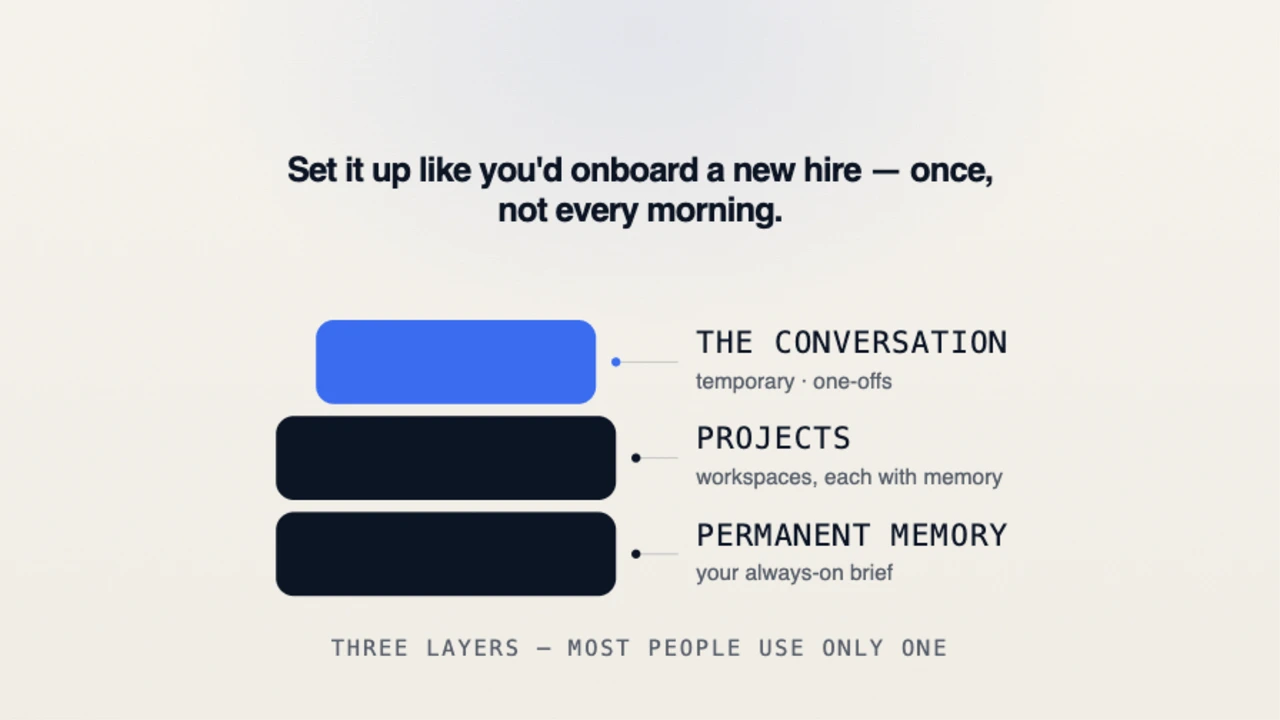
Most people only use one layer of context. The best results come from using all three.
Permanent Memory
This is your always-on brief - who you are, what you do, how you write, who you serve. Anything that's true in almost every conversation.
Projects
Projects are separate workspaces with their own instructions and memory. I keep different projects for content, consulting, and product work. Each one opens with its own context, examples, and objectives, so I don't have to start from scratch every time.
The Conversation
This is the temporary layer, useful for one-off instructions. But if you're repeating the same guidance every week, it belongs in memory or a project instead.
03How to Set Up Memory in ChatGPT
Open Settings → Personalization and make sure Memory is turned on.
Open Customize ChatGPT from your profile menu.
Fill in both sections:
What ChatGPT should know about you
How you'd like ChatGPT to respond
Add new information anytime by saying:
"Remember that I..."
"Going forward..."
"For future conversations..."
For ongoing work, create Projects and add instructions specific to that project.
Review, edit, or delete memories under Settings → Personalization → Memory.
04How to Set Up Memory in Claude
Open Settings → Capabilities → Memory and make sure it's enabled.
Create separate Projects for different types of work.
Add instructions inside each Project.
Upload supporting material:
Writing samples
Brand guidelines
Notes
Frameworks
Reference documents
Work inside the Project instead of starting fresh chats every time.
Review memory at any time in Settings, or simply ask, "What do you remember about me?"
05What to Put Into Memory
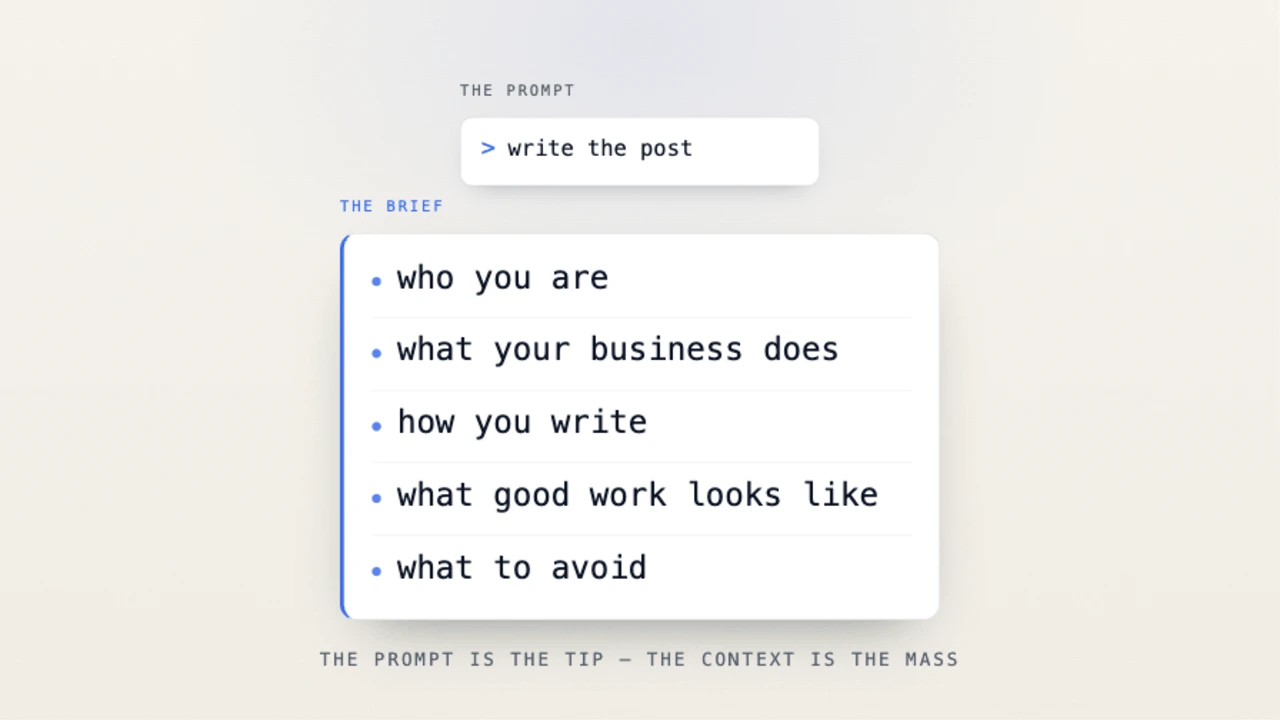
When I set mine up, I treated it the same way I'd brief a senior hire. I included:
Who I am and what I've done
What my business does
Who I work with
My positioning
How I write
Examples of my work
Phrases I use often
Phrases I never want it to use
Things I care about in the final output
Most people tell AI what to create. Very few tell it how they think. That's where the biggest improvements come from.
06Example Memory Setup
Here's a simplified example:
I'm a fractional CMO and marketing consultant.
I write in plain English.
I prefer short paragraphs and direct language.
Avoid buzzwords and corporate jargon.
Prioritise practical advice over theory.
Challenge weak assumptions when appropriate.
Use real-world business examples.
Don't write like a marketing agency.
That's enough context to dramatically improve the quality and consistency of future conversations.
07Keep It Updated
Businesses change. Positioning evolves. Projects end. Priorities shift. If AI is working from an outdated brief, the output will show it.
Every few weeks, ask: "What do you remember about me?" Read the answer. Delete what's outdated. Update what's changed. Five minutes of maintenance can save hours of rework.
08Is It Safe?
Don't put anything into memory that you wouldn't want stored. Both Claude and ChatGPT let you review, edit, delete, or temporarily disable memory whenever you want. You stay in control of what gets remembered.
09Set It Once
This isn't a big project. An afternoon of honest setup, followed by a few minutes of maintenance now and then. The payoff compounds every conversation after that.
Most people think they need better prompts. In reality, they need a better brief.
That's part of what I help founders and operators get right - the briefs, projects, and systems that make AI actually useful inside a business instead of against it. If that's where you're stuck, reach out.